
NSF NEON, Operated by Battelle

Main navigation

  • About
    • NEON Overview
      • Vision and Management
      • Spatial and Temporal Design
      • History
    • About the NEON Biorepository
      • ASU Biorepository Staff
      • Contact the NEON Biorepository
    • Observatory Blog
    • Newsletters
    • Staff
    • FAQ
    • Contact Us

    About

  • Data
    • Data Portal
      • Data Availability Charts
      • API & GraphQL
      • Prototype Data
      • Externally Hosted Data
    • Data Collection Methods
      • Airborne Observation Platform (AOP)
      • Instrument System (IS)
        • Instrumented Collection Types
        • Aquatic Instrument System (AIS)
        • Terrestrial Instrument System (TIS)
      • Observational System (OS)
        • Observation Types
        • Observational Sampling Design
        • Sampling Schedules
        • Taxonomic Lists Used by Field Staff
        • Optimizing the Observational Sampling Designs
      • Protocols & Standardized Methods
    • Getting Started with NEON Data
      • neonUtilities for R and Python
      • Learning Hub
      • Code Hub
    • Using Data
      • Data Formats and Conventions
      • Released, Provisional, and Revised Data
      • Data Product Bundles
      • Usage Policies
      • Acknowledging and Citing NEON
      • Publishing Research Outputs
    • Data Notifications
    • NEON Data Management
      • Data Availability
      • Data Processing
      • Data Quality

    Data

  • Samples & Specimens
    • Biorepository Sample Portal at ASU
    • About Samples
      • Sample Types
      • Sample Repositories
      • Megapit and Distributed Initial Characterization Soil Archives
    • Finding and Accessing Sample Data
      • Species Checklists
      • Sample Explorer - Relationships and Data
      • Biorepository API
    • Requesting and Using Samples
      • Loans & Archival Requests
      • Usage Policies

    Samples & Specimens

  • Field Sites
    • Field Site Map and Info
    • Spatial Layers & Printable Maps

    Field Sites

  • Resources
    • Getting Started with NEON Data
    • Research Support Services
      • Field Site Coordination
      • Letters of Support
      • Mobile Deployment Platforms
      • Permits and Permissions
      • AOP Flight Campaigns
      • Research Support FAQs
      • Research Support Projects
    • Code Hub
      • neonUtilities for R and Python
      • Code Resources Guidelines
      • Code Resources Submission
      • NEON's GitHub Organization Homepage
    • Learning Hub
      • Tutorials
      • Workshops & Courses
      • Science Videos
      • Teaching Modules
    • Science Seminars and Data Skills Webinars
    • Document Library
    • Funding Opportunities

    Resources

  • Impact
    • Research Highlights
    • Papers & Publications
    • NEON in the News

    Impact

  • Get Involved
    • Upcoming Events
    • Research and Collaborations
      • Environmental Data Science Innovation and Inclusion Lab
      • Collaboration with DOE BER User Facilities and Programs
      • EFI-NEON Ecological Forecasting Challenge
      • NEON Great Lakes User Group
      • NCAR-NEON-Community Collaborations
    • Advisory Groups
      • Science, Technology & Education Advisory Committee
      • Technical Working Groups
    • NEON Ambassador Program
      • Exploring NEON-Derived Data Products Workshop Series
    • Partnerships
    • Community Engagement
    • Work Opportunities

    Get Involved

  • My Account
  • Search

Search

This website and the Biorepository Sample Portal will be updated on February 9 from approximately 8 AM - 12 PM EST. The website or some pages may be temporarily unavailable during this time. There may also be a few broken links. Thank you for your patience. We will remove this banner when the updates are complete.

Code Hub

  • neonUtilities for R and Python
  • Code Resources Guidelines
  • Code Resources Submission
  • NEON's GitHub Organization Homepage

Breadcrumb

  1. Resources
  2. Code Hub
  3. neonUtilities for R and Python

neonUtilities for R and Python
Image
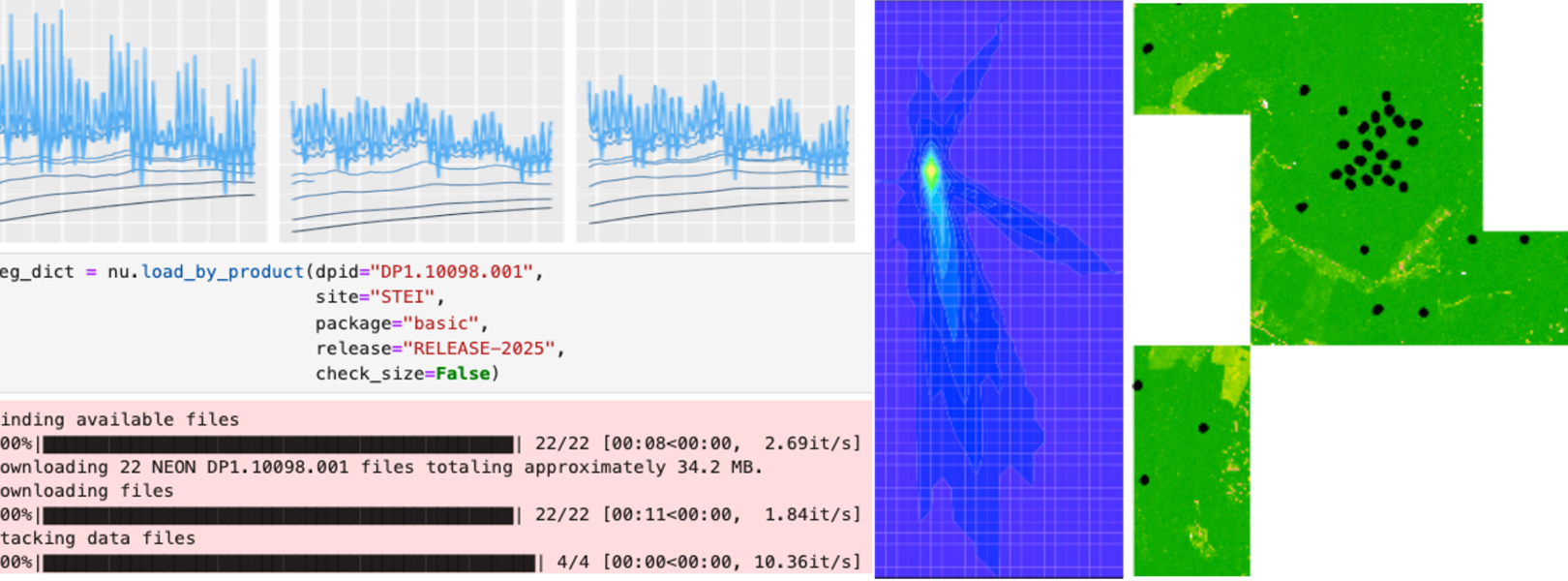
Image of Python code carrying out data download, and several figures displaying NEON data.

neonUtilities is a code package for accessing and working with NEON data, available in R and Python (as neonutilities).

Data Access

neonUtilities provides functions for downloading data via the NEON API. These functions primarily use the data endpoint of the API, and allow the user to download by data product, site, and time period. In some cases it enables more specialized downloads, such as downloading by averaging interval for sensor data and by tile for tiled remote sensing data.

Data Transformation

In addition to download, neonUtilities provides stacking functions for tabular data products. NEON data are published in self-contained packages for each site and month, and neonUtilities enables smooth stacking to create data tables that span sites and months.

  • Sensor data: Sensor data files are published with location information (horizontal and vertical position) in the file name; the stacking process in neonUtilities adds this information to the data table.
  • Surface-atmosphere exchange data: Surface-atmosphere exchange (eddy covariance) data files are published in HDF5 format. neonUtilties provides options for extracting customized subsets of data from the H5 files and stacking to tabular data tables.
  • Observational data: Many observational data products include tables of data that are relevant to all time periods of data collected, such as the mapped locations of monitored trees, or the quality control data from a laboratory, and these data are published in each monthly package of data. neonUtilities extracts the most up-to-date copy of these data for stacking.

Package Documentation

There is a ReadTheDocs page for the Python version of neonutilities, and a standard R manual for the R version. If you are new to the package, we recommend starting with tutorials rather than package documents, see FAQ below.

Frequently Asked Questions

How do I learn to use the neonUtilities package?

We recommend starting with the Download and Explore tutorial. This tutorial provides an introduction to both NEON data and the neonUtilities package. If you prefer to learn via video, the Download and Explore content is available as a recorded webinar as well (note the webinar includes only instruction in R, while the tutorial includes instructions in both R and Python).

Does neonUtilities have customized code to help me work with a specific data product?

In general the functions in neonUtilities are fairly generic, and work at the level of a type of NEON data, such as observational or instrumented. For guidance on working with specific data products, start with the Get Started with NEON Data tutorial series and the Quick Start Guide for each data product. For code resources for specific data products, check out the Code Hub.

What if I prefer to write my own code to use the NEON API?

You are welcome to write your own code! If you are working with remote sensing data, neonUtilities is primarily a wrapper for the API, and does not do any data transformation after download. If you are working with tabular data, keep in mind that the data transformation step in neonUtilities is substantial. See "Data transformation" above.

What are all the input options for neonUtilities functions?

Use the neonUtilities cheat sheet for a quick guide to function inputs and their meanings. You can also use the package help files for each function.

NSF NEON, Operated by Battelle

Follow Us:

Join Our Newsletter

Get updates on events, opportunities, and how NEON is being used today.

Subscribe Now

Footer

  • About Us
  • Newsroom
  • Contact Us
  • Terms & Conditions
  • Careers
  • Code of Conduct

Copyright © Battelle, 2026

The National Ecological Observatory Network is a major facility fully funded by the U.S. National Science Foundation.

Any opinions, findings and conclusions or recommendations expressed in this material do not necessarily reflect the views of the U.S. National Science Foundation.